Searchable PDF text layer
Certificate of Amendment of Manufacturer’s Information for Medical Products– External User Guide
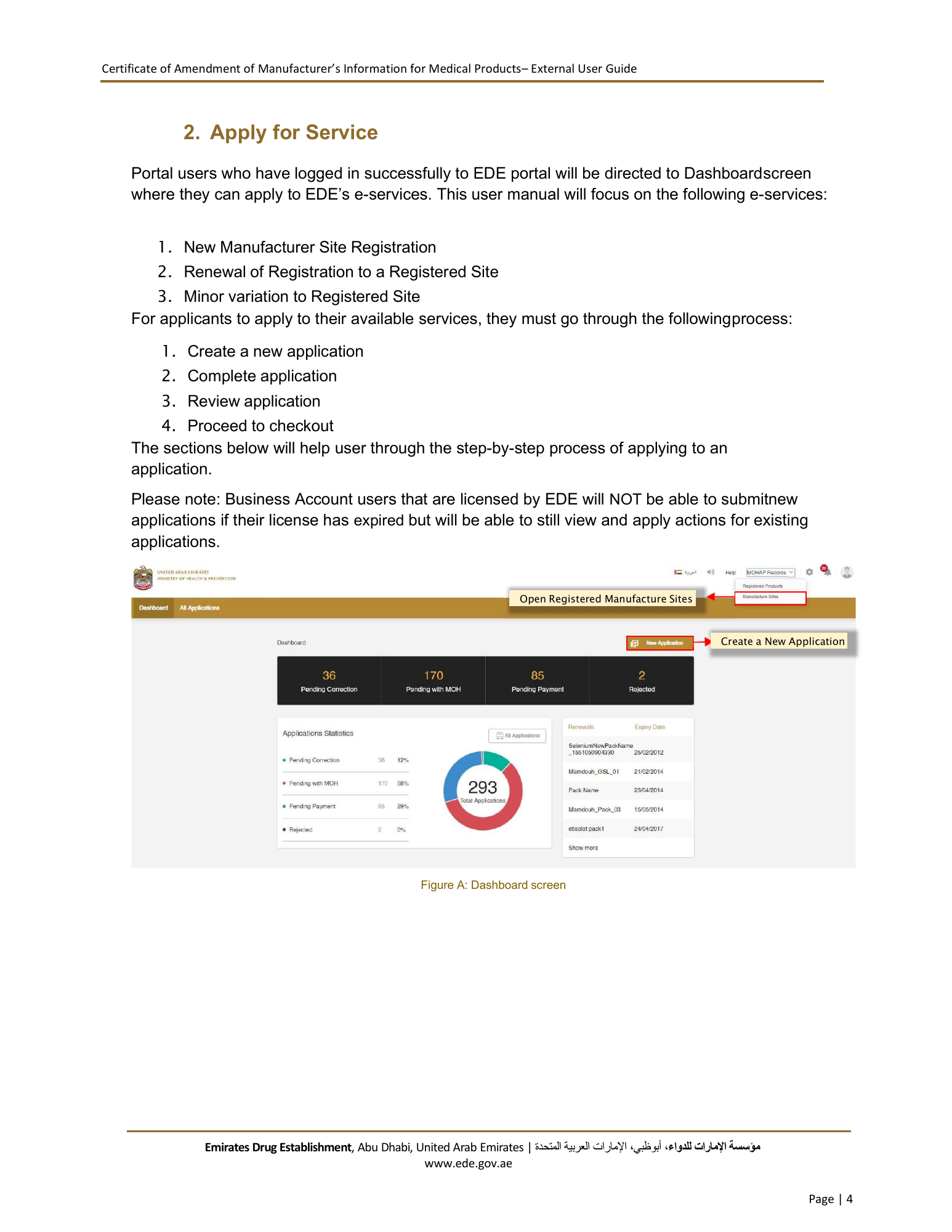
Once the user selects a service and creates an application, the user will be redirected to
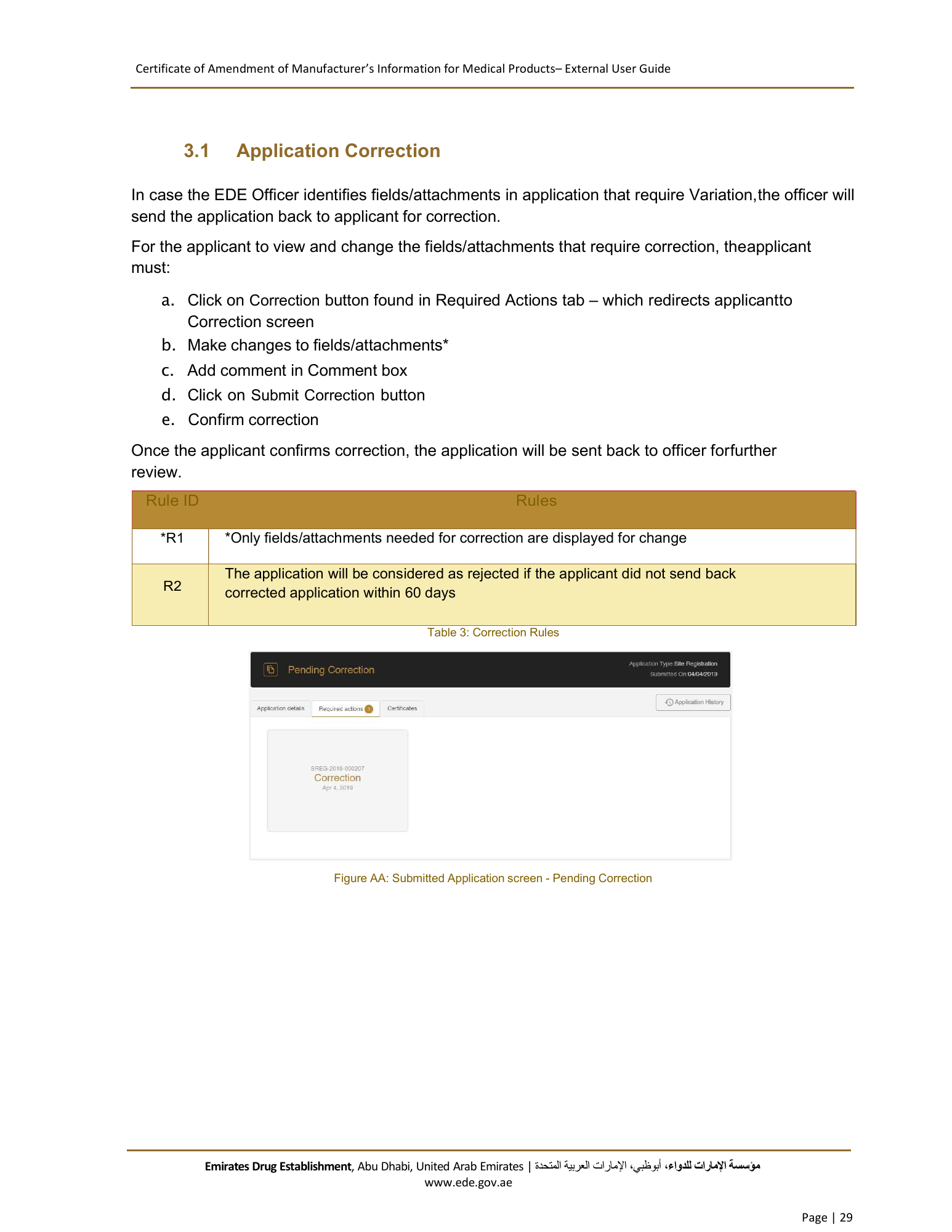
Application Details screen.
2.2 Complete Application
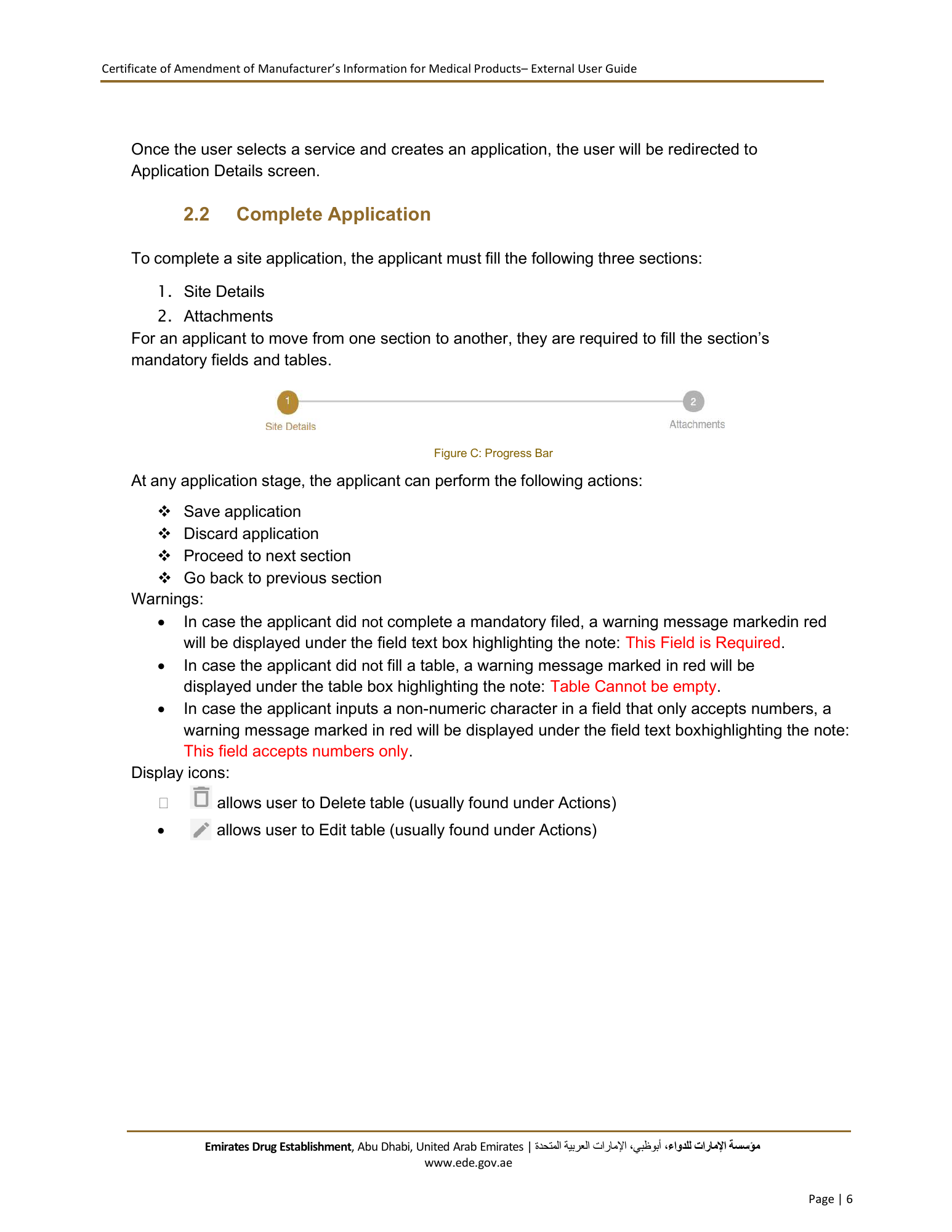
To complete a site application, the applicant must fill the following three sections:
1. Site Details
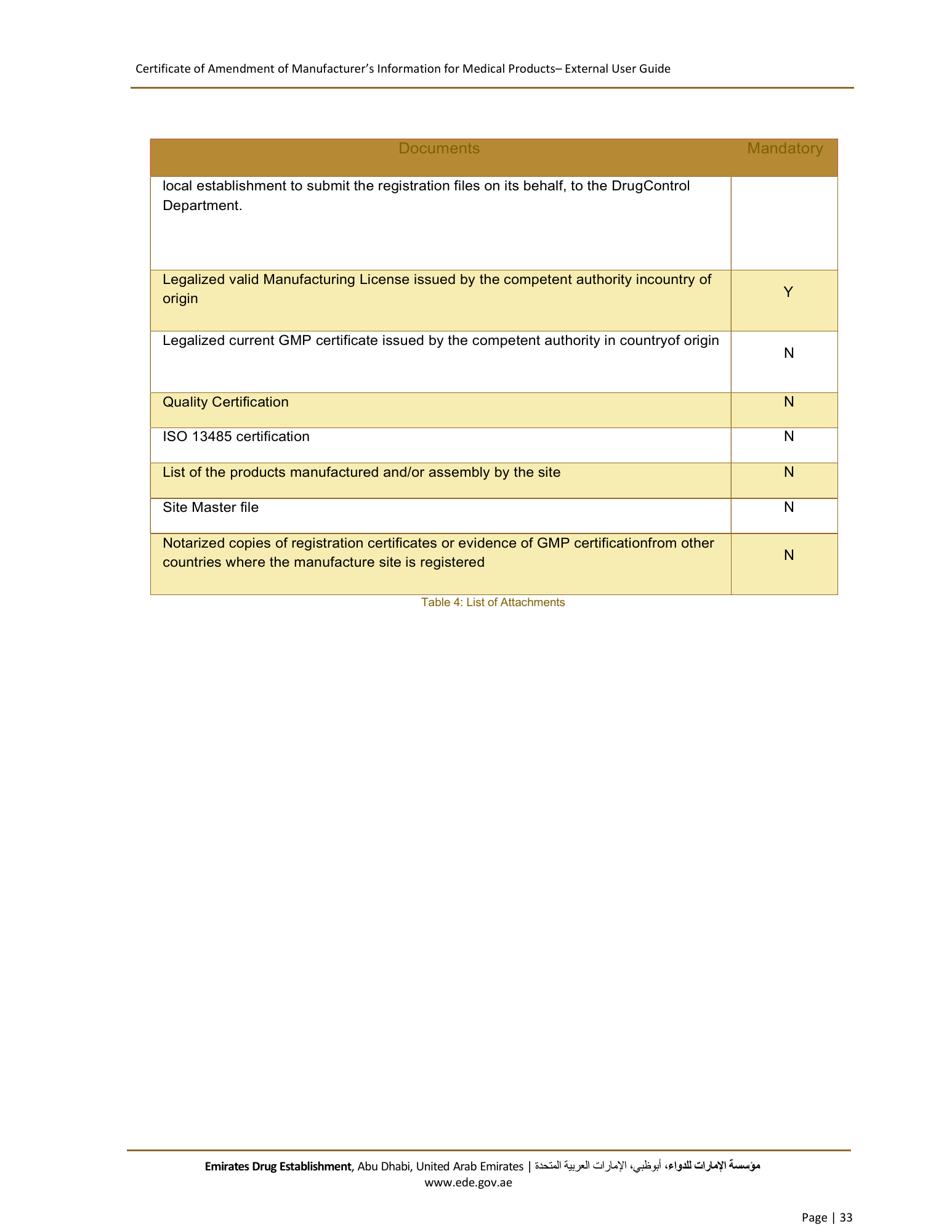
2. Attachments
For an applicant to move from one section to another, they are required to fill the section’s
mandatory fields and tables.
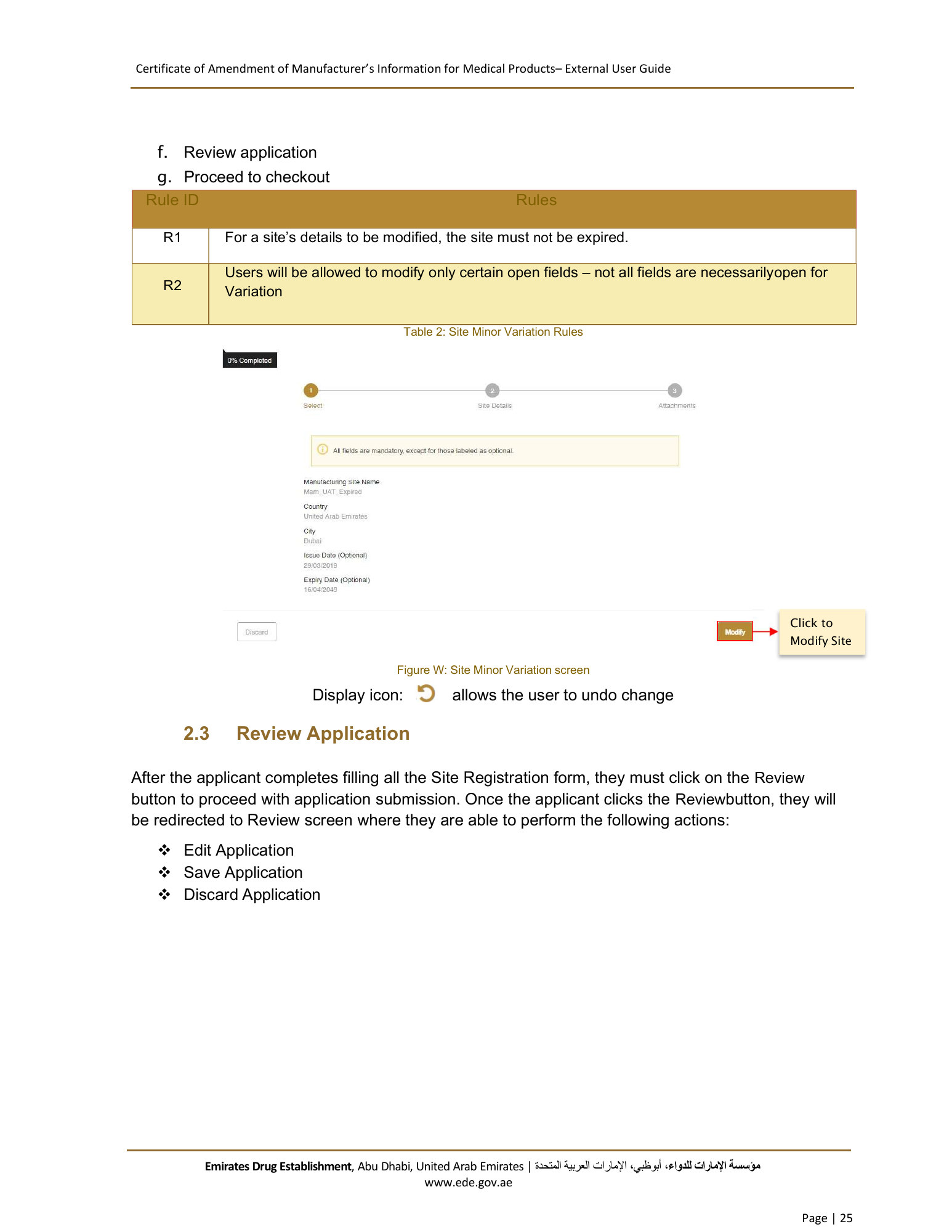
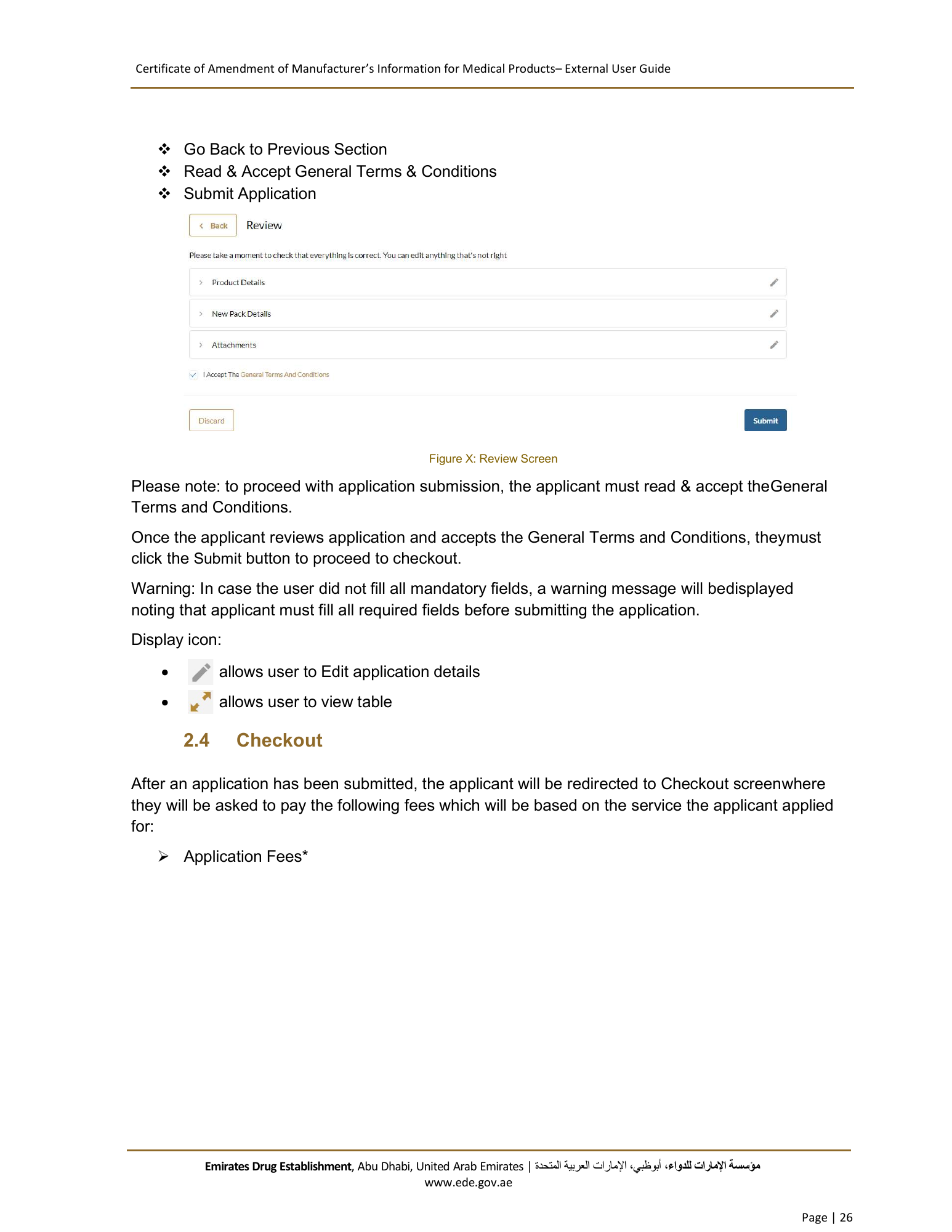
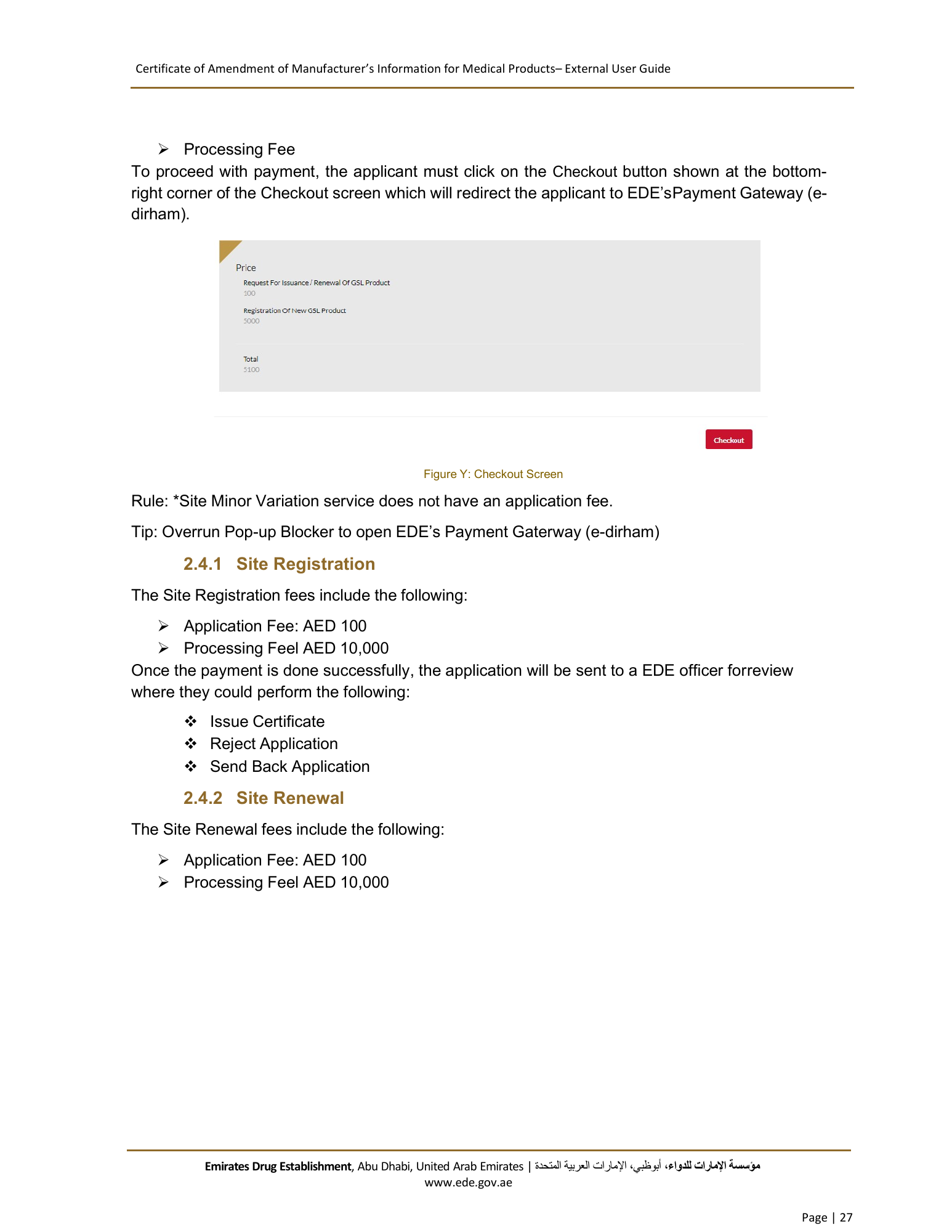
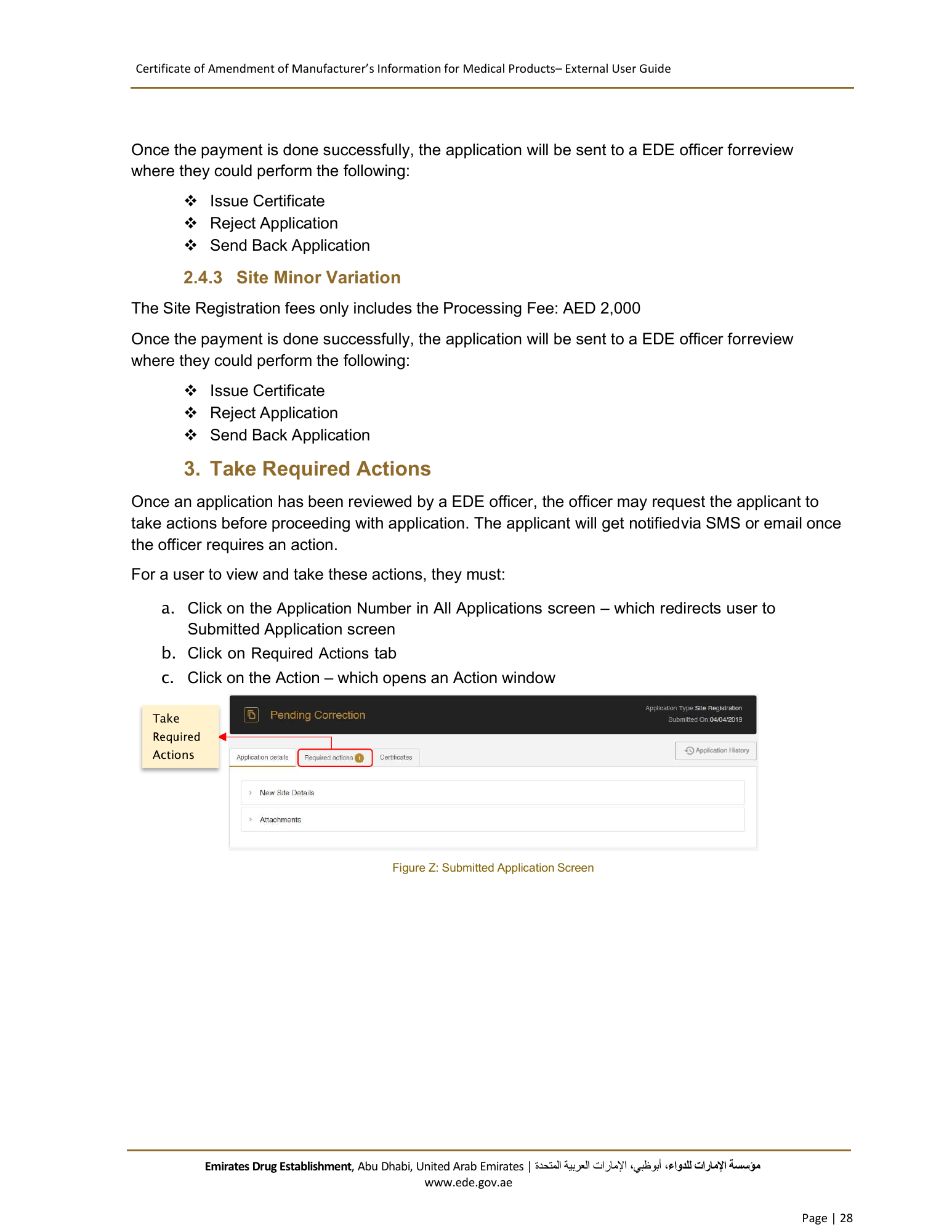
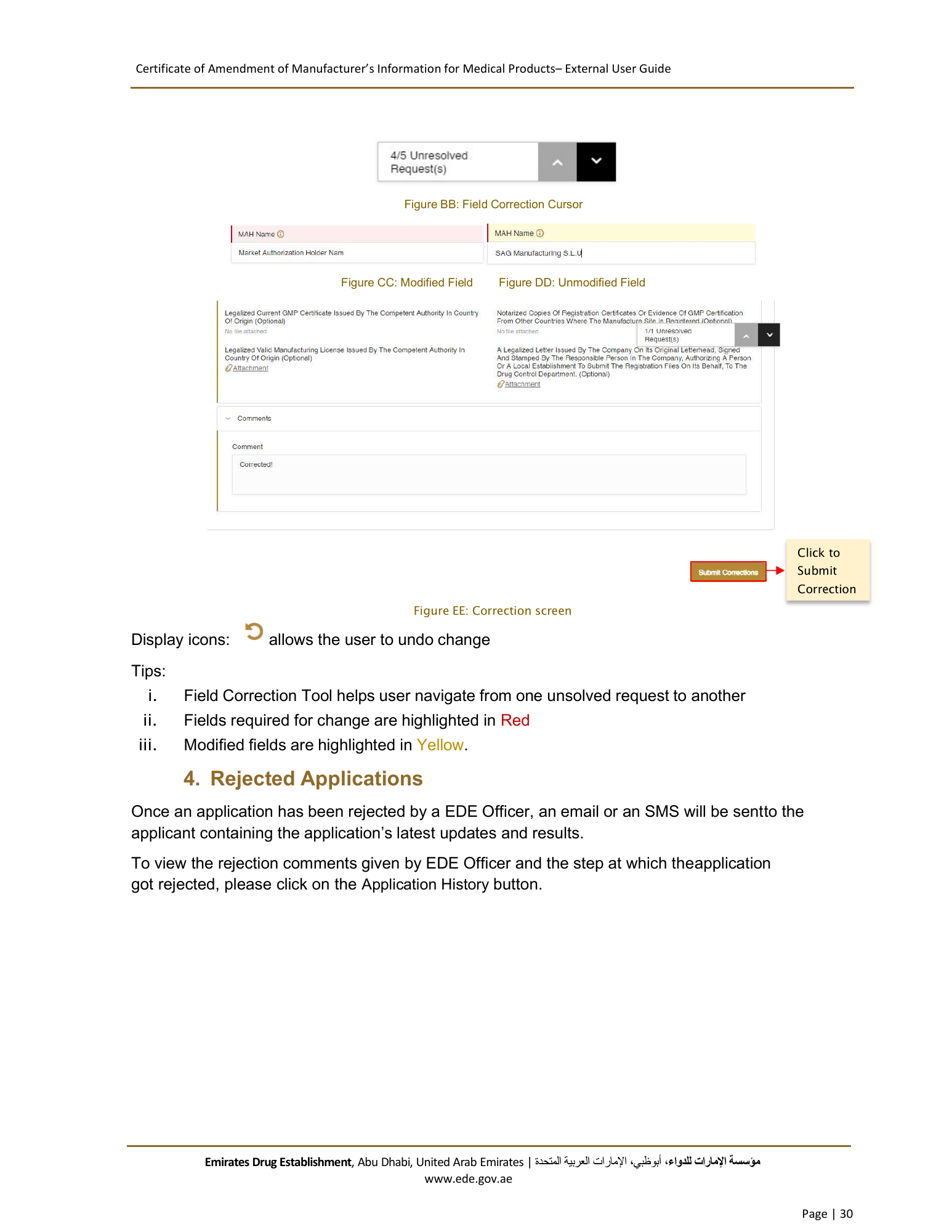
Figure C: Progress Bar
At any application stage, the applicant can perform the following actions:
Save application
Discard application
Proceed to next section
Go back to previous section
Warnings:
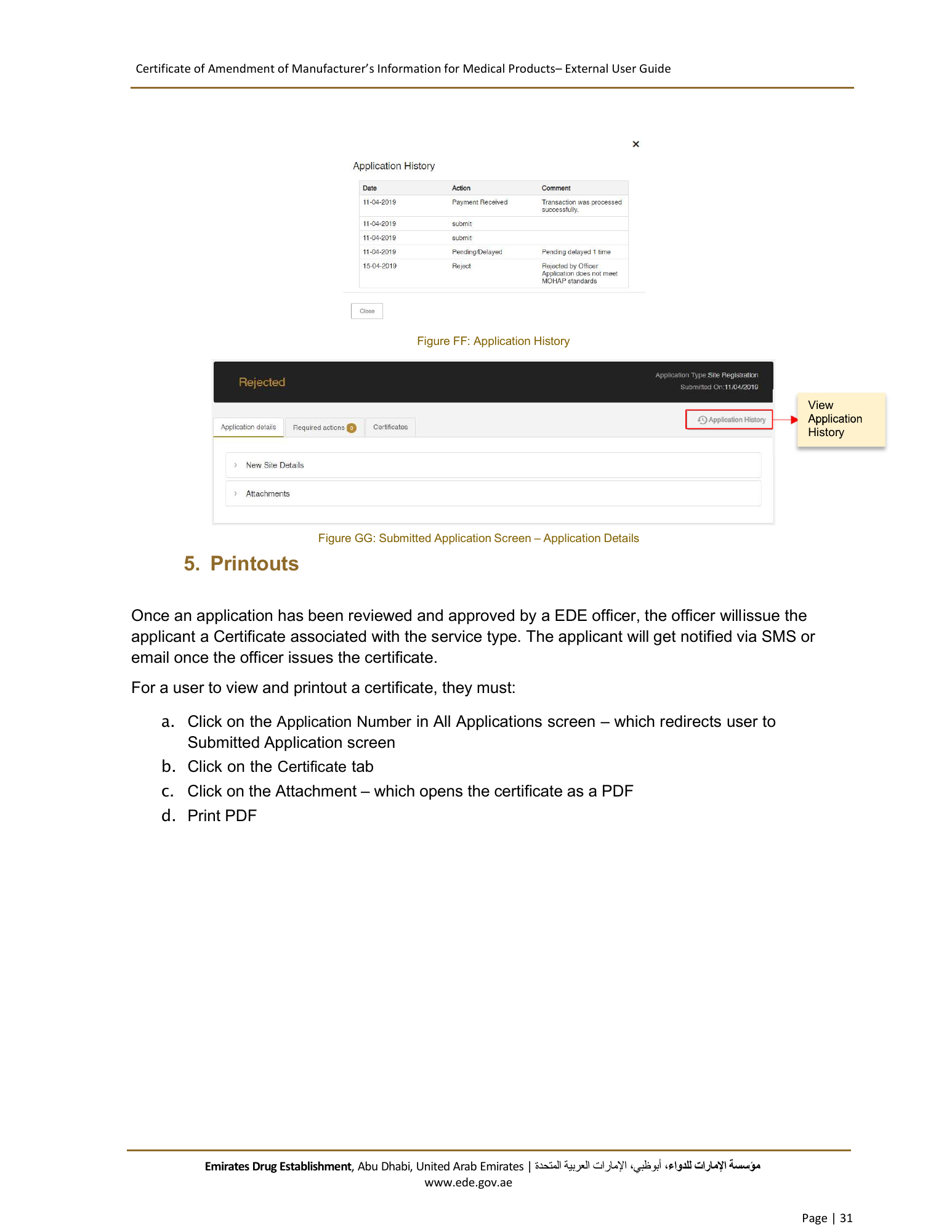
In case the applicant did not complete a mandatory filed, a warning message markedin red
will be displayed under the field text box highlighting the note: This Field is Required.
In case the applicant did not fill a table, a warning message marked in red will be
displayed under the table box highlighting the note: Table Cannot be empty.
In case the applicant inputs a non-numeric character in a field that only accepts numbers, a
warning message marked in red will be displayed under the field text boxhighlighting the note:
This field accepts numbers only.
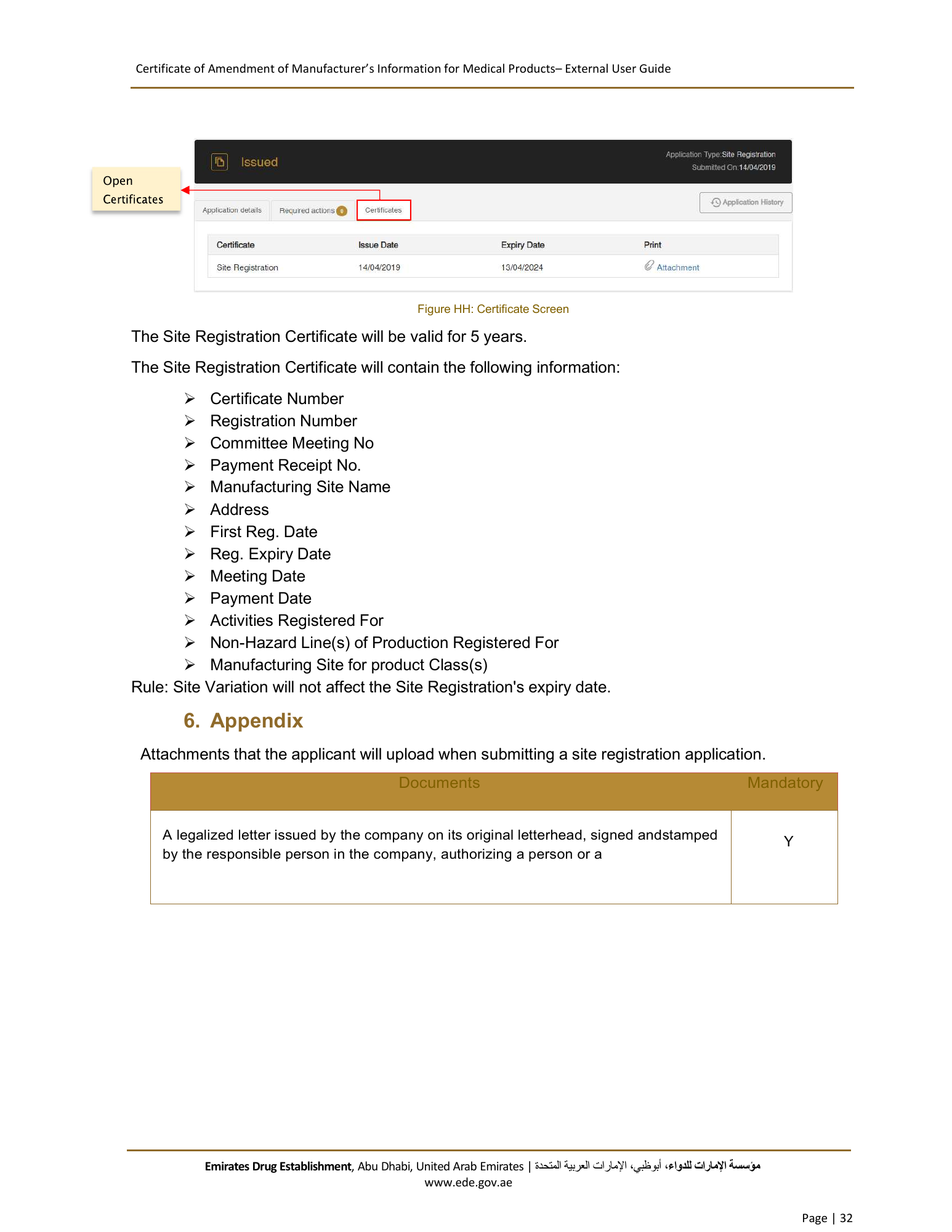
Display icons:
allows user to Delete table (usually found under Actions)
allows user to Edit table (usually found under Actions)
Emirates Drug Establishment, Abu Dhabi, United Arab Emirates | اﻹمارات العربية المتحدة، أبوظبي،مﺆﺳﺴﺔ اﻹمارات للدواء
www.ede.gov.ae
Page | 6