
Searchable PDF text layer
Guidance: Device registration fee Published April 2026
Currentness under review. Whether this instrument remains applicable is under review. Consult the later instruments and source context below before relying on it.
Original page images are authoritative. Searchable text is the PDF text layer and may omit image text or contain extraction artifacts. Quote and verify against the page images.
Link directly to a passage with its anchor — for example #pdf-page-1 — to open it highlighted. This reference version is generated from the authority’s publication and does not replace it. Language: English.
Guidance: Device registration fee Published April 2026
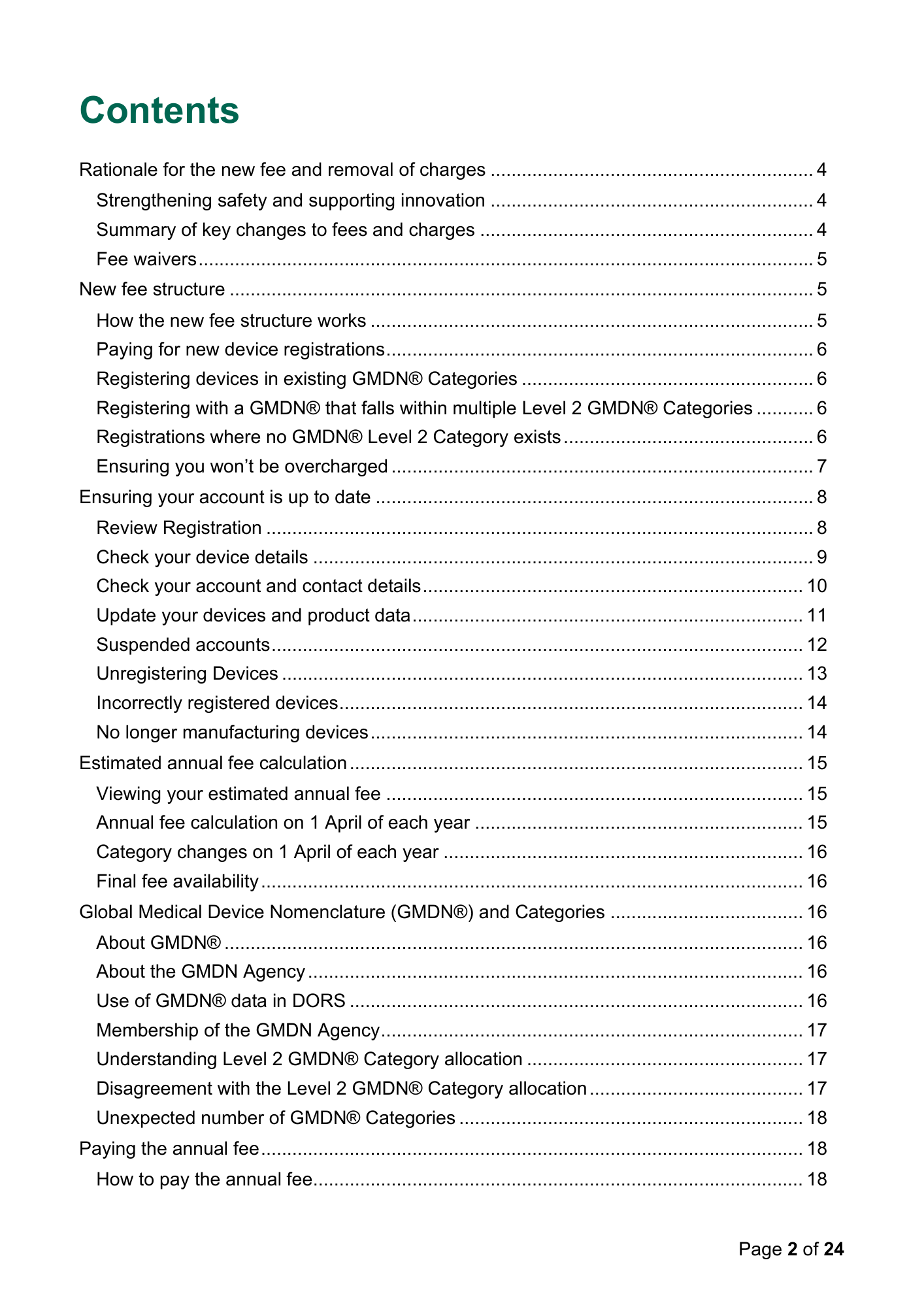
Contents Rationale for the new fee and removal of charges .............................................................. 4 Strengthening safety and supporting innovation .............................................................. 4 Summary of key changes to fees and charges ................................................................ 4 Fee waivers ...................................................................................................................... 5 New fee structure ................................................................................................................ 5 How the new fee structure works ..................................................................................... 5 Paying for new device registrations .................................................................................. 6 Registering devices in existing GMDN® Categories ........................................................ 6 Registering with a GMDN® that falls within multiple Level 2 GMDN® Categories ........... 6 Registrations where no GMDN® Level 2 Category exists ................................................ 6 Ensuring you won’t be overcharged ................................................................................. 7 Ensuring your account is up to date .................................................................................... 8 Review Registration ......................................................................................................... 8 Check your device details ................................................................................................ 9 Check your account and contact details ......................................................................... 10 Update your devices and product data ........................................................................... 11 Suspended accounts ...................................................................................................... 12 Unregistering Devices .................................................................................................... 13 Incorrectly registered devices ......................................................................................... 14 No longer manufacturing devices ................................................................................... 14 Estimated annual fee calculation ....................................................................................... 15 Viewing your estimated annual fee ................................................................................ 15 Annual fee calculation on 1 April of each year ............................................................... 15 Category changes on 1 April of each year ..................................................................... 16 Final fee availability ........................................................................................................ 16 Global Medical Device Nomenclature (GMDN®) and Categories ..................................... 16 About GMDN® ............................................................................................................... 16 About the GMDN Agency ............................................................................................... 16 Use of GMDN® data in DORS ....................................................................................... 16 Membership of the GMDN Agency ................................................................................. 17 Understanding Level 2 GMDN® Category allocation ..................................................... 17 Disagreement with the Level 2 GMDN® Category allocation ......................................... 17 Unexpected number of GMDN® Categories .................................................................. 18 Paying the annual fee ........................................................................................................ 18 How to pay the annual fee.............................................................................................. 18 Page 2 of 24
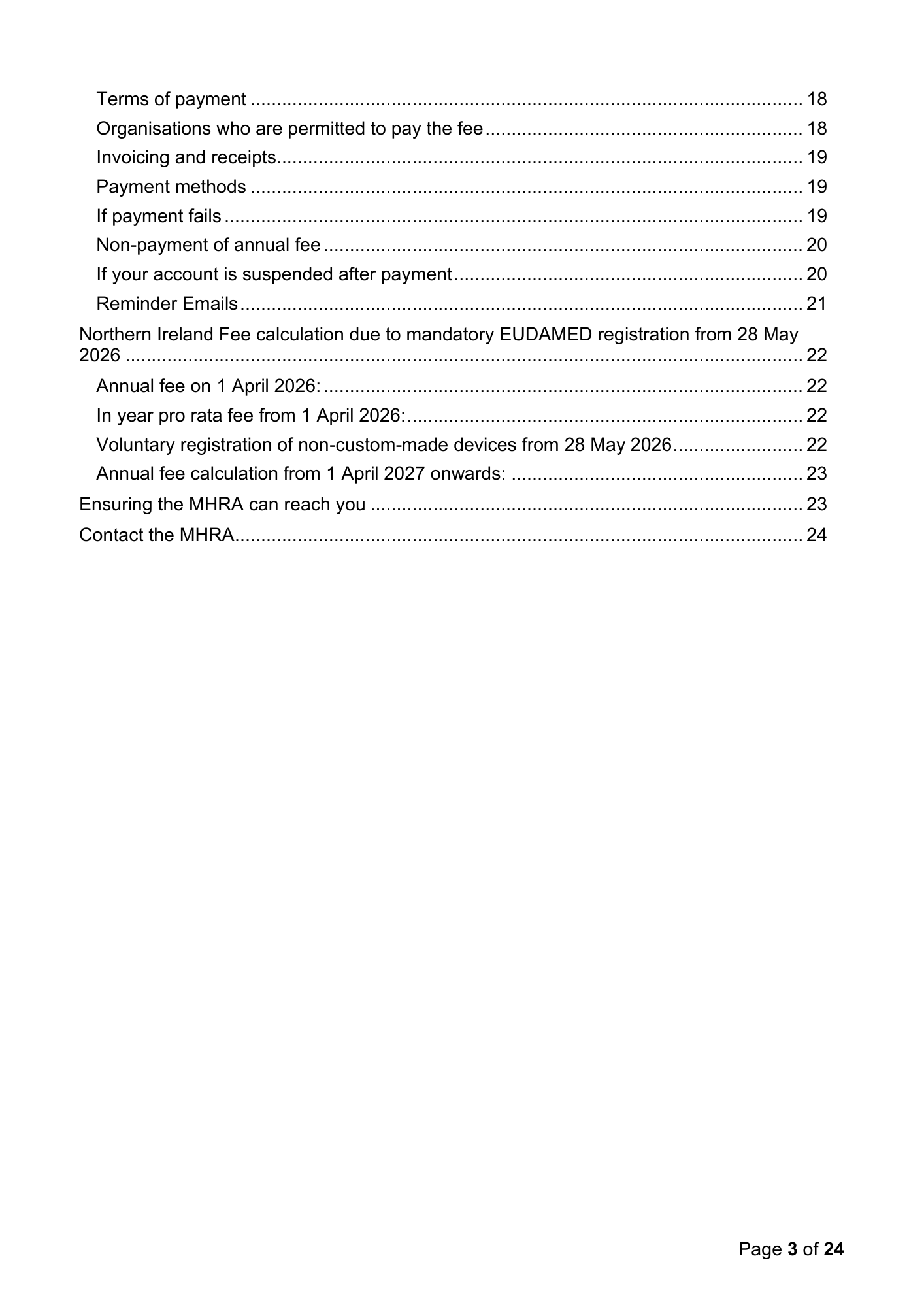
Terms of payment .......................................................................................................... 18 Organisations who are permitted to pay the fee ............................................................. 18 Invoicing and receipts..................................................................................................... 19 Payment methods .......................................................................................................... 19 If payment fails ............................................................................................................... 19 Non-payment of annual fee ............................................................................................ 20 If your account is suspended after payment ................................................................... 20 Reminder Emails ............................................................................................................ 21 Northern Ireland Fee calculation due to mandatory EUDAMED registration from 28 May 2026 .................................................................................................................................. 22 Annual fee on 1 April 2026: ............................................................................................ 22 In year pro rata fee from 1 April 2026: ............................................................................ 22 Voluntary registration of non-custom-made devices from 28 May 2026 ......................... 22 Annual fee calculation from 1 April 2027 onwards: ........................................................ 23 Ensuring the MHRA can reach you ................................................................................... 23 Contact the MHRA............................................................................................................. 24 Page 3 of 24
Device Registration Fee Regulations and Guidance The Medicines and Healthcare products Regulatory Agency (MHRA) held a public consultation on the uplift of our fees for 2025-2027 from 29 August 2024 to 24 October 2024. This was held jointly with the Department of Health in Northern Ireland, in accordance with Section 45(1) of the Medicines and Medical Devices Act 2021. Further information on the consultation can be found at MHRA consultation on statutory fees - proposals on ongoing cost recovery. From 1 April 2026, Regulation 53 of the UK Medical Devices Regulations 2002 (SI 618, as amended) and Regulation 7 (5) of the Northern Ireland Regulations 2021 introduced a new annual fee and updated fee structure. This guidance explains how the new fee works. Rationale for the new fee and removal of charges Strengthening safety and supporting innovation We have strengthened our safety and surveillance system for medical devices following the post-market surveillance legislation (SI 2024 No.1368) that came into force on 16 June 2025. This legislation improves patient safety and enhances our ability to respond quickly to performance and safety signals. It also supports a more risk-proportionate, pro-innovation approach to regulation, as outlined in the NHS 10-year plan. To ensure we can deliver this strengthened regulatory function effectively, we have introduced a new annual fee and updated our fee structure to provide sustainable funding. Summary of key changes to fees and charges New annual fee: This replaces the previous one-off application fee and supports ongoing surveillance and regulatory activity. Letters of Designation: Since 1 April 2026, UK Responsible Persons (UKRPs) and Northern Ireland Authorised Representatives no longer need to pay a separate fee to upload new Letters of Designation for their represented manufacturers. Updates to organisation name and/or address: Since 1 April 2026, you no longer need to pay a fee to update your organisation’s name or address.
Fee waivers The MHRA will not offer waivers, SME rates, instalments, or payment plans. Fees must follow HMT’s Managing Public Money principles, meaning they must be based on cost recovery and should not shift costs between companies. The annual charge is set per chargeable GMDN® Level 2 category, which already results in lower fees for SMEs. Strengthening PMS will also benefit SMEs by enabling earlier issue identification and supporting a more predictable, risk proportionate regulatory environment. To ensure you are only charged for devices you manufacture and place on the market, please follow the instructions in this guidance. New fee structure How the new fee structure works Since 1 April 2026, the device registration fee is calculated based on the Device Function GMDN® Level 2 Category that the device is allocated to by the GMDN Agency. Key points are as follows: Single charge per GMDN® Code: If a GMDN® Code and Term appears in multiple Level 2 Categories, you will only be charged once. Minimised charges: We will review all of your registered Level 2 Categories and ensure you are charged for the fewest possible GMDN® Categories. Handling ‘overlaps’: If you register a GMDN® that overlaps with an existing Category, we will charge based on the Category with the most GMDN® entries. This may result in GMDN® assignments shifting between Categories during the year to avoid any overcharging. Level 1 Categories: Some GMDN® Codes and Terms exist only at Level 1. In these cases, a single fee will apply for all GMDN® within that Level 1 Category. Viewing your Categories: From 1 April 2026, you can view your assigned GMDN® Categories by downloading the Export Devices Data to Excel File from the link on the Summary page of your DORS account. Page 5 of 24
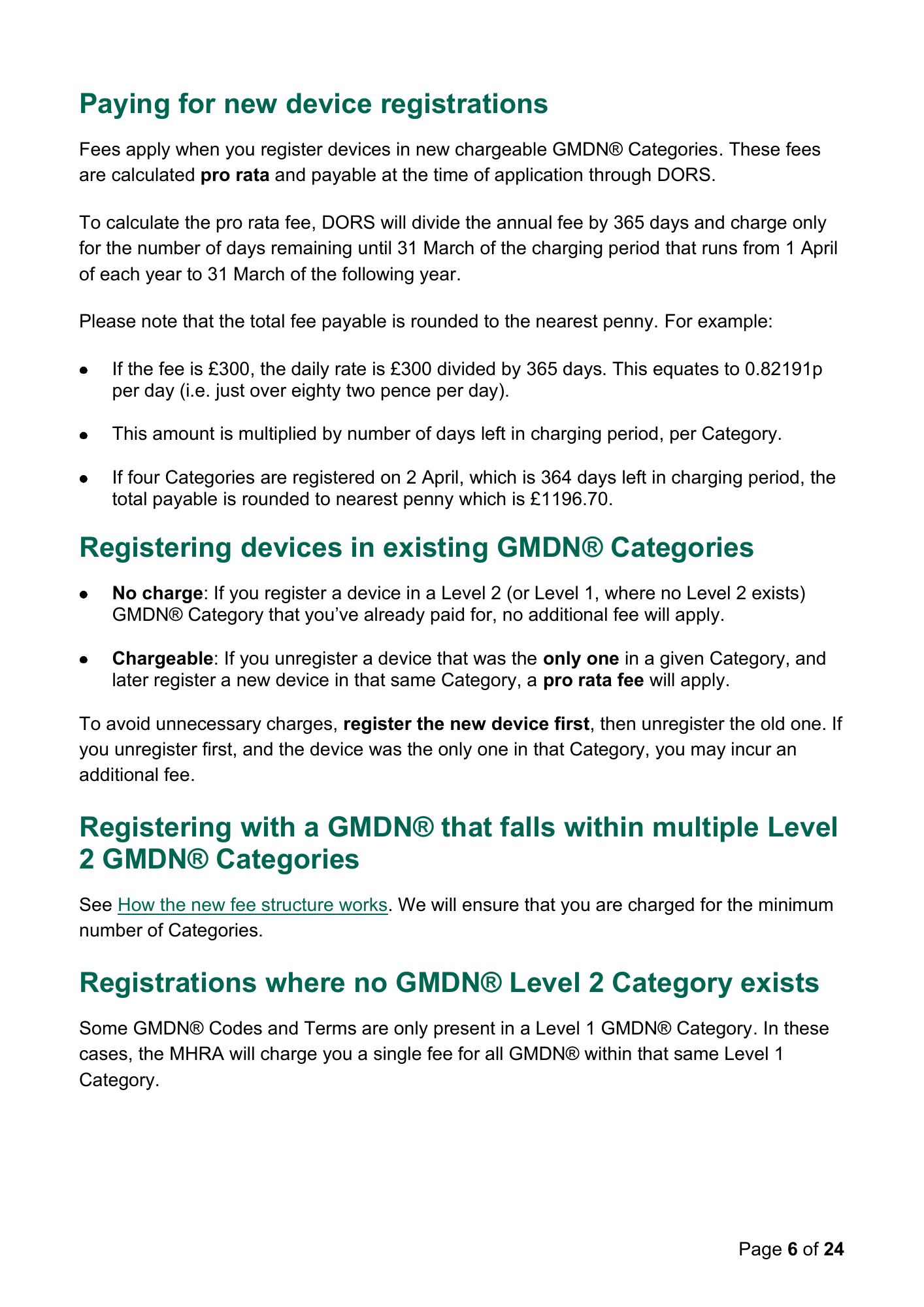
Paying for new device registrations Fees apply when you register devices in new chargeable GMDN® Categories. These fees are calculated pro rata and payable at the time of application through DORS. To calculate the pro rata fee, DORS will divide the annual fee by 365 days and charge only for the number of days remaining until 31 March of the charging period that runs from 1 April of each year to 31 March of the following year. Please note that the total fee payable is rounded to the nearest penny. For example: If the fee is £300, the daily rate is £300 divided by 365 days. This equates to 0.82191p per day (i.e. just over eighty two pence per day). This amount is multiplied by number of days left in charging period, per Category. If four Categories are registered on 2 April, which is 364 days left in charging period, the total payable is rounded to nearest penny which is £1196.70. Registering devices in existing GMDN® Categories No charge: If you register a device in a Level 2 (or Level 1, where no Level 2 exists) GMDN® Category that you’ve already paid for, no additional fee will apply. Chargeable: If you unregister a device that was the only one in a given Category, and later register a new device in that same Category, a pro rata fee will apply. To avoid unnecessary charges, register the new device first, then unregister the old one. If you unregister first, and the device was the only one in that Category, you may incur an additional fee. Registering with a GMDN® that falls within multiple Level 2 GMDN® Categories See How the new fee structure works. We will ensure that you are charged for the minimum number of Categories. Registrations where no GMDN® Level 2 Category exists Some GMDN® Codes and Terms are only present in a Level 1 GMDN® Category. In these cases, the MHRA will charge you a single fee for all GMDN® within that same Level 1 Category. Page 6 of 24

Ensuring you won’t be overcharged DORS calculates the minimum fee payable, based on your registered GMDN® Categories. See How the new fee structure works. Page 7 of 24
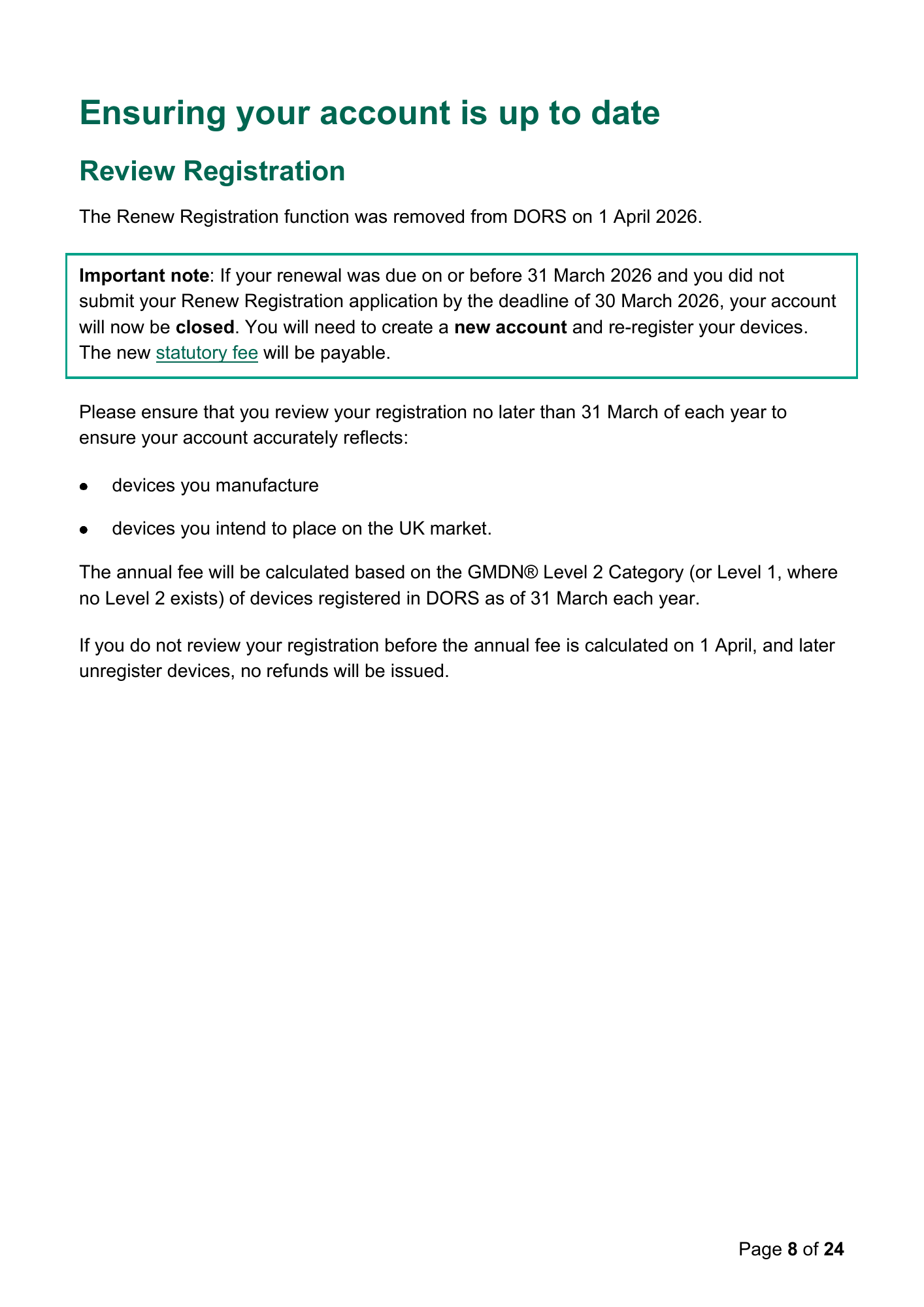
Ensuring your account is up to date Review Registration The Renew Registration function was removed from DORS on 1 April 2026. Important note: If your renewal was due on or before 31 March 2026 and you did not submit your Renew Registration application by the deadline of 30 March 2026, your account will now be closed. You will need to create a new account and re-register your devices. The new statutory fee will be payable. Please ensure that you review your registration no later than 31 March of each year to ensure your account accurately reflects: devices you manufacture devices you intend to place on the UK market. The annual fee will be calculated based on the GMDN® Level 2 Category (or Level 1, where no Level 2 exists) of devices registered in DORS as of 31 March each year. If you do not review your registration before the annual fee is calculated on 1 April, and later unregister devices, no refunds will be issued. Page 8 of 24
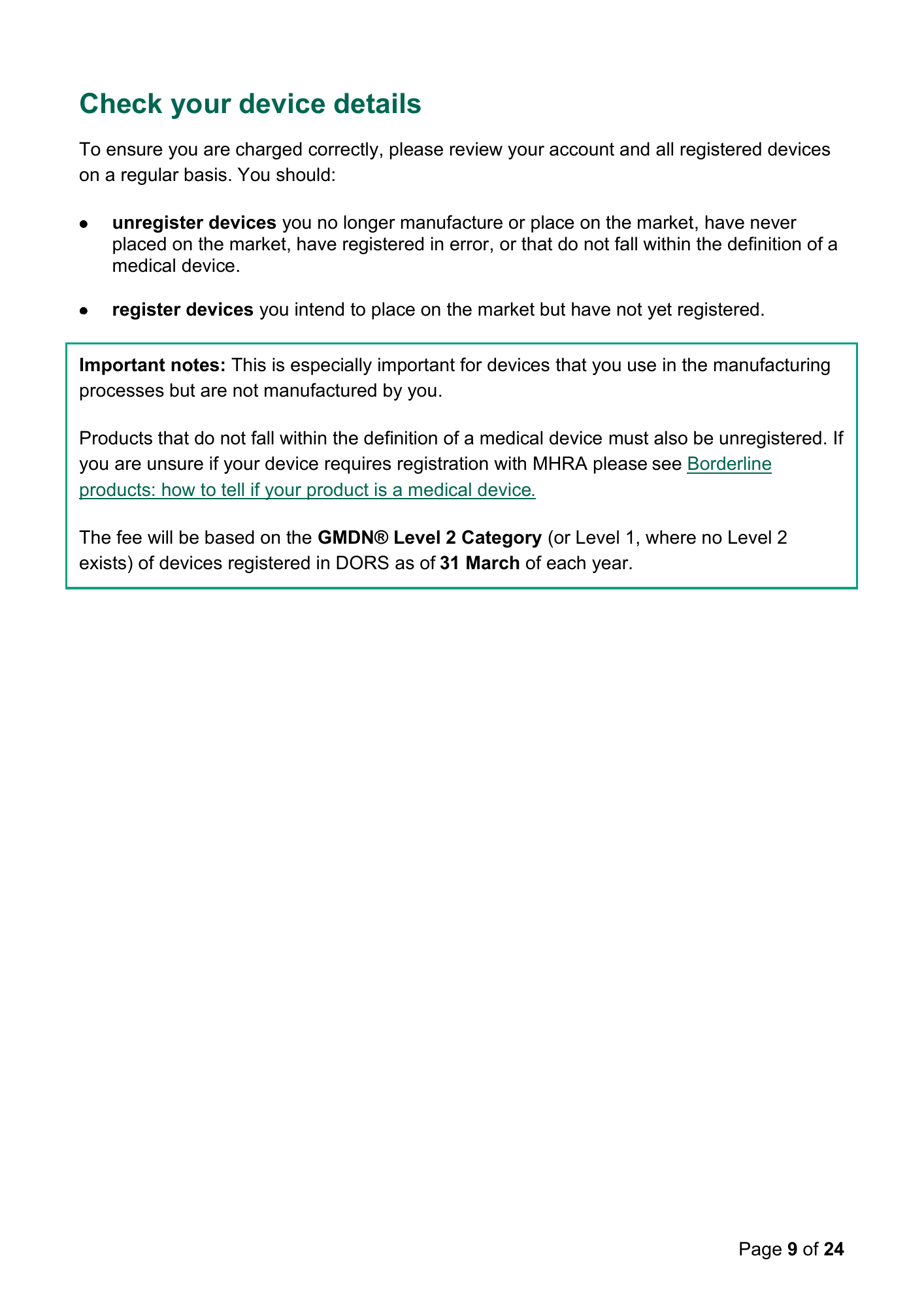
Check your device details To ensure you are charged correctly, please review your account and all registered devices on a regular basis. You should: unregister devices you no longer manufacture or place on the market, have never placed on the market, have registered in error, or that do not fall within the definition of a medical device. register devices you intend to place on the market but have not yet registered. Important notes: This is especially important for devices that you use in the manufacturing processes but are not manufactured by you. Products that do not fall within the definition of a medical device must also be unregistered. If you are unsure if your device requires registration with MHRA please see Borderline products: how to tell if your product is a medical device. The fee will be based on the GMDN® Level 2 Category (or Level 1, where no Level 2 exists) of devices registered in DORS as of 31 March of each year. Page 9 of 24
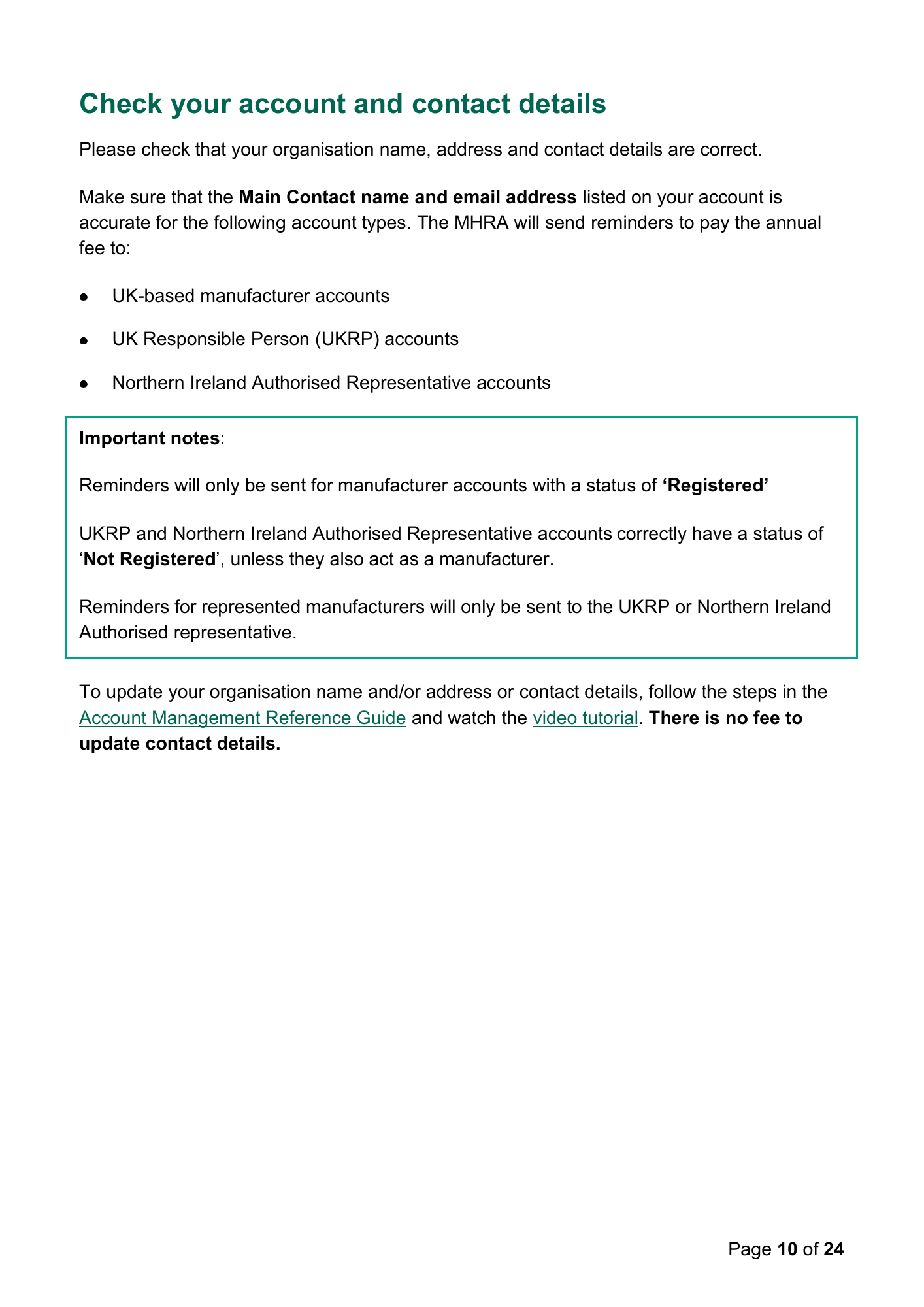
Check your account and contact details Please check that your organisation name, address and contact details are correct. Make sure that the Main Contact name and email address listed on your account is accurate for the following account types. The MHRA will send reminders to pay the annual fee to: UK-based manufacturer accounts UK Responsible Person (UKRP) accounts Northern Ireland Authorised Representative accounts Important notes: Reminders will only be sent for manufacturer accounts with a status of ‘Registered’ UKRP and Northern Ireland Authorised Representative accounts correctly have a status of ‘Not Registered’, unless they also act as a manufacturer. Reminders for represented manufacturers will only be sent to the UKRP or Northern Ireland Authorised representative. To update your organisation name and/or address or contact details, follow the steps in the Account Management Reference Guide and watch the video tutorial. There is no fee to update contact details. Page 10 of 24
Update your devices and product data Please review your device data and update any obsolete GMDN® codes. To update editable product data, such as obsolete GMDN®, market placement, end of commercial distribution date, please follow the instructions in the Device Registration Reference Guide and watch the video tutorial. In particular we urge you to provide: Basic UDIs for your device UDI-DIs for your products (Brand/Trade name), where applicable. These identifiers are essential for monitoring and ensuring patient safety. Important note: Do not use the Bulk Upload templates to update product data. These templates append data rather than overwriting it, which may result in duplicate entries. You will need to remove duplicates manually. We are working to introduce functionality that will allow you to remove more than 20 products in a single application. If system changes are implemented, we will update this section with further details. There is no fee to add products to already registered GMDN® entries or update editable data fields via the Update Registered Devices and Products function.
Suspended accounts Accounts with a status of “Suspended” on 31 March of each year will be closed. Once closed, the only available action is to unregister the account. If the account of any of your represented manufacturers is suspended because you have not submitted a valid Letter of Designation, or paid the annual fee for either your account or the account of any represented manufacturer, follow the instructions in the Account Management Reference Guide and watch the video tutorials. Important note: The previous Renew Registration function was removed on 1 April 2026. The annual fee has replaced this process. If you still wish to place devices on the market after 1 April of each year, you will need to: create a new account register your devices again pay the statutory fees. Important note: Accounts with a status of Suspended, Closed or Unregistered do not appear on the Public Access Registration Database (PARD) and you will be unable to order Certificates of Free Sale for Medical Devices. A Suspended, Closed or Unregistered account means you cannot legally place devices on the UK market. It is an offence to place a non-compliant device on the market in the UK. Page 12 of 24
Unregistering Devices To unregister devices you no longer manufacture or place on the market, have never manufactured, have never placed on the market, have registered in error, or that do not fall within the definition of a medical device, , please follow the Manage Registered Devices instructions in the Device Registration Reference Guide and watch the video tutorial. Important notes: This is especially important for devices that you use in the manufacturing processes but are not manufactured by you. Products that do not fall within the definition of a medical device must also be unregistered. If you are unsure if your device requires registration with MHRA please see Borderline products: how to tell if your product is a medical device. You will be charged for the Level 2 (or Level 1 where no Level 2 exists) GMDN® Category for these devices on 1 April of each year. Page 13 of 24
Incorrectly registered devices Depending on the data field, you may be able to amend device and product details free of charge. However, not all fields can be edited after registration. Please see the Update Registered Devices and Products instructions in the Device Registration Reference Guide and watch the video tutorial. If the field cannot be updated, you must unregister and re-register the device. No refunds will be issued for unregistered devices. The annual fee will be calculated on 1 April to exclude unregistered devices, only if they were the sole device in a Level 2 or Level 1 GMDN® Category. If other devices remain in the Category, the fee will still apply. No longer manufacturing devices If you no longer manufacture any devices requiring MHRA registration, follow the instructions to Unregister Manufacturer in the Account Management Reference Guide and watch the video tutorial. Important note: No refunds will be issued for unregistered accounts.
Estimated annual fee calculation Viewing your estimated annual fee An annual fee estimate calculator is available on the Summary page of your DORS account so you can see your estimated fee from 1 April and until 31 March of the following year. This will also be available on the accounts of any manufacturers you represent as a UKRP or Northern Ireland Authorised Representative. The calculator will show the number of chargeable GMDN® Categories associated with the account. Important note: the annual fee estimate calculator calculates fees based on the GMDN Categories that are active for the period 1 April to 31 March of each year. Because the Categories may change on 1 April of each year, the actual fee payable may be different from to the estimate on the Summary page. The estimated annual fee will update automatically when you: register GMDN® entries in new chargeable Categories. unregister all GMDN® entries within a chargeable Category. To see which chargeable GMDN® Categories you have registered, use the Export Devices Data to Excel File function. Annual fee calculation on 1 April of each year DORS will calculate the minimum fee payable. See How the new fee structure works. The calculation will be made between 1am and 6am on 1 April of each year, assessing your registered devices and calculating how many Level 2 (or Level 1, if applicable) GMDN® Categories they fall into. The annual fee for 1 April will be based on the number of payable GMDN® Categories of registered GMDN® on 31 March of each year. Important note: To ensure the MHRA can correctly calculate annual fees payable on 1 April, DORS will be unavailable from 5pm on 31 March until 8am on 1 April of each year. Page 15 of 24
Category changes on 1 April of each year The GMDN® Categories are fixed for the full charging period (1 April to 31 March) of each year. This ensures that if the GMDN Agency assigns a GMDN® to a different Category during the charging period, you are not charged again. Final fee availability The actual annual fee payable will be available in DORS from 1 April of each year. See Paying the annual fee for further guidance. Global Medical Device Nomenclature (GMDN®) and Categories About GMDN® “Global Medical Device Nomenclature” (GMDN®) is the globally recognised system for naming and classifying all medical devices (including implantables, medical equipment, consumables, and diagnostic devices), providing regulators, healthcare professionals, and manufacturers with a common language to communicate and share information by facilitating accurate identification, tracking, and reporting of medical devices. About the GMDN Agency The GMDN Agency is a registered UK charity and non-profit organisation responsible for the ongoing maintenance of the GMDN database. The latest GMDN Agency annual report is available from the Charity Commission website. For more information, please visit: https://www.gmdnagency.org/ GMDN® is a registered trademark of The GMDN Agency. All rights reserved. The copyright and database rights in the original GMDN materials are owned by The GMDN Agency Ltd 2005-2026. Used under licence from The GMDN Agency Ltd. Use of GMDN® data in DORS The information provided in DORS includes data supplied by The GMDN Agency ('GMDN Content'), which is used under licence from The GMDN Agency. Any data/information suppliers who wish to extract GMDN Content from DORS in order to use it as a basis for creating and supporting commercial services such as alternative categorisation, mapping to other categorisations or ontologies, or for AI training purposes, must first obtain an Page 16 of 24
appropriate licence from The GMDN Agency. No such activity is permitted without a licence. For more information on obtaining a licence, please contact The GMDN Agency: https://www.gmdnagency.org/contact-us/ None of the GMDN content constitutes any endorsement, advice, representation or warranty about any specific medical devices that may be described by such content; and no representation or warranty is made in relation to instructions for use, suitability for any application, treatment or condition, regulatory status, or any properties of a particular medical device. Membership of the GMDN Agency You do not have to subscribe to the GMDN Agency to use GMDN® for device registration in DORS. Find out more at https://www.gmdnagency.org/faqs Understanding Level 2 GMDN® Category allocation To view the chargeable GMDN® Category a device is assigned to, use the Export Devices Data to Excel File function in DORS. Important note: GMDN® entries may move between different Level 2 Categories during charging period (1 April to 31 March of following year), to ensure you are charged for the minimum number of Categories. See How the new fee structure works. Disagreement with the Level 2 GMDN® Category allocation The GMDN® Categories are fixed for the full charging period (1 April to 31 March). This ensures that if the GMDN Agency reassigns a GMDN® to a different Category during the year, you are not charged again. As a result, the Category shown in DORS may differ from the one on the GMDN Agency website. Categories are reset and 'frozen' from 1 April of each year. Page 17 of 24
Unexpected number of GMDN® Categories If more GMDN® Categories than expected appear on your account: check that all registered devices are correctly registered ensure that you manufacture the devices listed If not, follow the Manage Registered Devices instructions in the Device Registration Reference Guide and watch the video tutorial to unregister any incorrect entries. Paying the annual fee How to pay the annual fee From 1 April of each year, an 'Annual fee' link will appear in the top right-hand corner of the Summary page of each DORS account. Click the link to access the review and payment page. Terms of payment The fee must be paid in full, within 90 days from 1 April of each year. Instalment payments are not available. Failure to pay will result in your account being suspended. Read more about suspended accounts. Organisations who are permitted to pay the fee Only the following organisations can make payments to the MHRA: UK-based manufacturers UK Responsible Persons (UKRPs) Northern Ireland Authorised Representatives UKRPs and Northern Ireland Authorised Representatives are responsible for collecting fees from their represented manufacturers and submitting payment via DORS. Page 18 of 24
Invoicing and receipts MHRA will not send invoices in advance. See viewing estimated annual fee Once payment is made, you will receive an automated email with a paid invoice (PDF) attached. You can also download a pro forma invoice for accounting purposes via the ‘Annual fee’ link. Payment methods You can pay via: BACS/CHAPS Worldpay Important note: All payments must be made through the DORS portal only. Do not use external MHRA payment portals. For BACS/CHAPS payments: upload proof of payment before submitting your application. include the unique reference number from the DORS payment page in your bank’s payment reference field. Important note: Failure to include the correct reference may delay your application and result in account suspension until payment is identified. If payment fails If you see a 'Payment Failed' screen in DORS and you did not cancel payment on the Worldpay screen: try again with a different card Or contact your card issuer Page 19 of 24
Non-payment of annual fee If payment is not made within 90 days, your Device Registration Account will be suspended. You will only be able to: pay the annual fee to reactivate the account Or unregister the account Important note: A suspended or unregistered account means you cannot legally place devices on the UK market. It is an offence to place a non-compliant device on the market. See: Suspended Accounts. Suspended accounts do not appear on the Public Access Registration Database (PARD), and you will be unable to order Certificates of Free Sale. If your account is suspended after payment If you’ve paid the annual fee but your account is suspended: 1. Check your inbox (including junk/spam) for a payment confirmation email. 2. Confirm with your bank or card issuer that payment was made to the MHRA. 3. Email device.registrations@mhra.gov.uk with: • proof of payment • payment reference number • your Application Reference Number To avoid issues, always pay through the DORS portal and include the correct reference number in your bank payment. Please note: Accounts with a status of Suspended do not appear on the Public Access Registration Database (PARD), and you will not be able to order Certificates of Free Sale for Medical Devices. Page 20 of 24
Reminder Emails For the annual fee due on 1 April of each year, the MHRA will send email communications to all contacts of: UK-based manufacturer accounts UK Responsible Person (UKRP) accounts Northern Ireland Authorised Representative accounts for non-EU based manufacturers Automated annual fee reminder emails will be sent to all contacts of eligible accounts: 30 days before 1 April 60 days before 1 April 90 days before 1 April These reminders will help ensure timely payment and avoid account suspension. These emails will include an estimated annual fee amount based on data in DORS before 31 March of each year. Important note: Emails will only be sent for manufacturer accounts with a status of ‘Registered’. If your account, or the account of any manufacturer you represent as a UKRP or Northern Ireland Authorised Representative, is currently suspended, please find out how to submit a valid Letter of Designation, or pay the annual fee that was due on 1 April of the previous year for either your account or the account of any represented manufacturer by following the instructions in the Account Management Reference Guide and watching the video tutorials. If your account is suspended due to a different reason, please ensure that you take the action requested in the email that notified you of the suspension. Please ensure that the MHRA can contact you by regularly reviewing your Contacts in DORS and ensuring the Main Contact is up to date. Page 21 of 24
Northern Ireland Fee calculation due to mandatory EUDAMED registration from 28 May 2026 From 28 May 2026, all non-custom-made devices manufactured by Northern Ireland- based manufacturers and represented manufacturers of Northern Ireland-based Authorised Representatives must be registered on the (European Database on Medical Devices (EUDAMED). Only custom-made devices must continue to be registered with MHRA per The Medical Devices (Northern Ireland Protocol) Regulations 2021 To ensure that Northern Ireland -based manufacturers and represented manufacturers of Northern Ireland-based Authorised Representatives are not charged the annual fee for devices for which registration with MHRA is not mandatory from 28 May 2026, the following fee calculations will apply: Annual fee on 1 April 2026: Full fee for custom-made devices Partial fee to 27 May 2026 for non-custom-made devices In year pro rata fee from 1 April 2026: Standard pro rata fee to 31 March 2027 for custom-made devices Partial pro rata fee to 27 May 2026 for non-custom-made devices Voluntary registration of non-custom-made devices from 28 May 2026 From 28 May 2026, Northern Ireland-based manufacturers and represented manufacturers of Northern Ireland-based Authorised Representatives may choose to voluntarily register non-custom-made devices with the MHRA. Where organisations choose to do so, the fee will be payable per below: In year pro rata fee from 28 May 2026: Standard pro rata fee to 31 March 2027 for non-custom-made devices. Page 22 of 24
Annual fee calculation from 1 April 2027 onwards: The following annual fees will apply from 1 April 2027: Full fee for custom-made devices (mandatory registration) Full fee for any non-custom-made devices that remain registered on the account (voluntary registration) Ensuring the MHRA can reach you We often publish updates to our websites: Register medical devices to place on the market and Regulating medical devices in the UK. Please ensure that you sign up for email notifications so that you are notified as soon as updates are published. If you haven’t signed up for email updates, you will experience delays in receiving communications from the MHRA, or may not receive them. The link to sign up can be found at the top and bottom of the website pages: Additionally, please ensure that the following email addresses are added to your safe senders or contacts in your email system. This will enable MHRA to contact you through our mailing system, from the Device Registration and Customer Experience Centre mailboxes, and through DORS: webmaster@subscriptions.mhra.gov.uk Device.Registrations@mhra.gov.uk MHRACustomerServices@mhra.gov.uk info@mhra.gov.uk no-reply@mhra.gov.uk Page 23 of 24

Contact the MHRA If you have a query that is not answered by this guidance, please email info@mhra.gov.uk. We are actively monitoring enquiries relating to this guidance and will update the content as needed. To help us capture and respond to questions as effectively as possible, please only contact the email address above. Page 24 of 24